
Creating reminders made easy
With 21.AbaNinja from Swiss21, you can create professional payment reminder templates and payment reminders online for free. Customise your reminders to match your company’s branding and send them either manually or automatically.
Professional template for payment reminders in your company’s branding
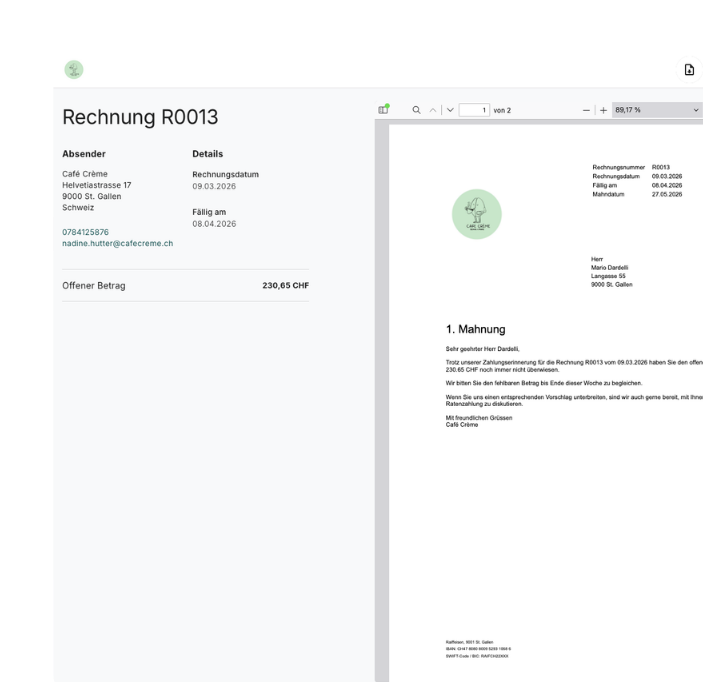
Create professional payment reminders and demands for payment in your company’s branding to ensure a consistent image for your customers. We provide text templates for payment reminders and demands for payment in German, French, English and Italian. You can, of course, customise the texts to suit your needs.
Send reminders and payment notices automatically
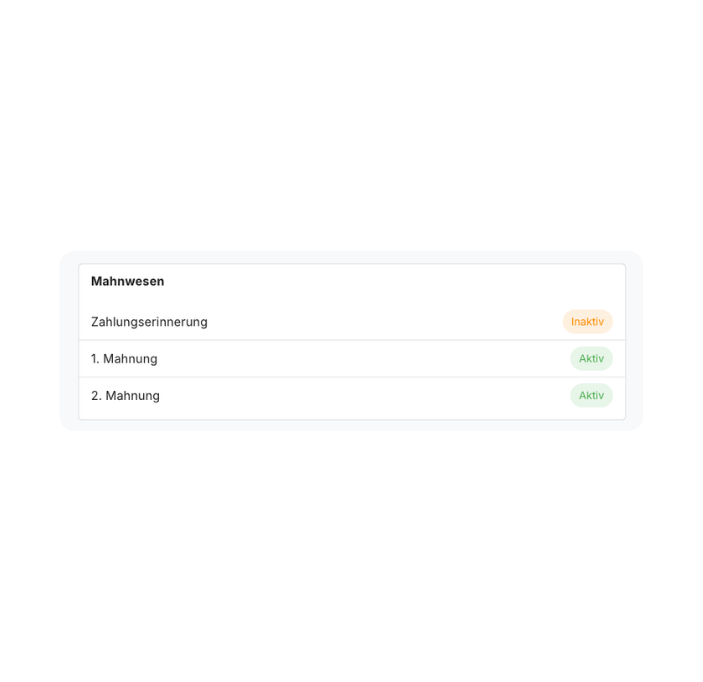
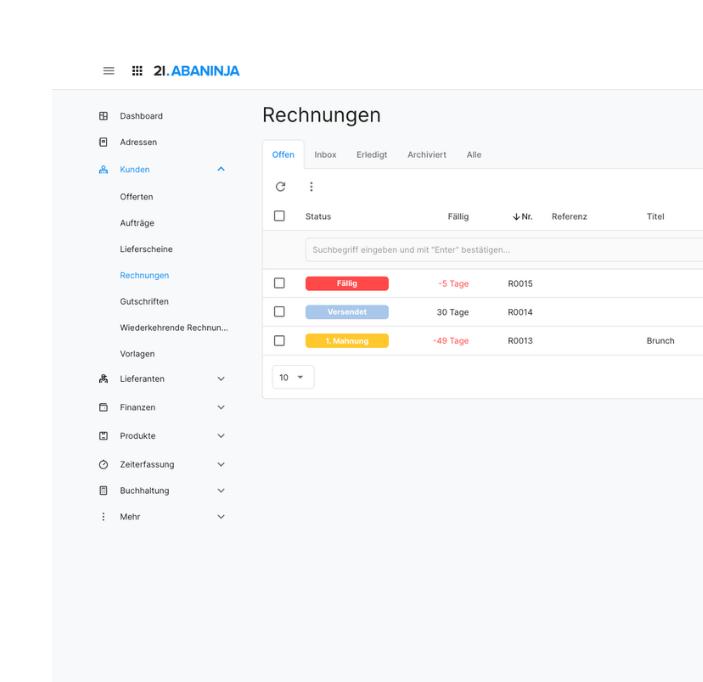
You can customise whether and when you send payment reminders, first reminders and second reminders. For each address, you can specify whether reminders should be sent manually or automatically. The invoice overview gives you a clear overview of your outstanding and reminded invoices at all times.
Late payment charges
With the Pro subscription, you can charge additional reminder fees either manually or automatically. Each reminder is generated as a separate document in 21.AbaNinja. To keep payment reconciliation as straightforward as possible, reminders use the same QR reference as the original invoice. Incoming payments from customers are thus automatically allocated to both the reminder and the invoice.

“I particularly recommend Swiss21 to small businesses and start-ups: it’s free to start with, and offers excellent value for money afterwards.”

“After nearly thirty years of using Excel and other tools, everything suddenly became simple, practical and seamless. Swiss21 has made my work much easier.”

"For me, as a sole trader, Swiss21 is the ideal solution – simple, efficient and tailored precisely to my needs."

“49 francs a month for the Pro subscription is hard to beat. What’s more, Swiss21 is backed by Abacus, a renowned company.”

“Before Swiss21, I used Word and Excel, which was tedious and time-consuming. Now I can easily send invoices and quotations even when I’m on the move.”

“Swiss21 is intuitive, user-friendly and offers efficient customer service.”

“My clients are very satisfied with Swiss21. It is very important to be able to communicate digitally with your accountancy firm, and Swiss21 provides that link.”

“Thanks to Swiss21 and recurring invoices, I’m much more efficient. I can quickly see when a customer has viewed and paid an invoice.”

“With Swiss21, we were able to set up our online shop from scratch within a few days, including integration with the SIX Saferpay payment system.”

“Now I can enter the wages, process the payroll and know that everything has been calculated correctly. We used to have to check everything several times.”

“Simple, intuitive and scalable – Swiss21 offers truly outstanding value for money!”

"21. Using AbaNinja in conjunction with Lightspeed saves us an enormous amount of time."

“Swiss21 makes it easier for newly established SMEs to get started with the right software, as it brings together all the key functions. Even now, as we’ve grown, we’re still impressed by its fair and reasonable pricing model.”
“After nearly thirty years of using Excel and other tools, everything suddenly became simple, practical and seamless. Swiss21 has made my work much easier.”

"We’re a small company. Swiss21 gives me a clear, straightforward overview. It’s made my bookkeeping a lot easier."

“With AbaSalary, I can easily calculate my staff’s wages. I find the direct link to AbaNinja particularly handy.”

“21. Both AbaNinja and Lightspeed are available in the cloud. This means we don’t need any servers and don’t have to worry about maintenance.”
"Swiss21 is intuitive, user-friendly and offers efficient customer service."

‘A user-friendly tool at an attractive price.’
"Thanks to 21.AbaSalary, we can easily process both hourly and monthly wages."

“As the applications are simple and intuitive, we don’t need to invest much time in training our customers.”

"We can create invoices for our charity and send them by email in just a few clicks."
“We used to use Microsoft Word, but now we can create invoices for our club with just a few clicks and send them by email.”

“Thanks to Swiss21, our business never comes to a standstill. We can sort out the admin in the office, at home or even from the beach.”

"I am very pleased with my choice and would recommend 21.AbaNinja to any business looking to manage its time efficiently."
We can do more than just reminders
Forget about high software costs and long lead times for implementation. Our cost-effective ERP software, Swiss21, offers a wide range of programmes that are all interconnected. You’ll be up and running in just five minutes!
FAQ: Reminders
How do I create a reminder?
You can either send a reminder individually via the three-dot menu on the outstanding invoice, or you can set up an automated process. You’ll find step-by-step instructions here.
Can I send reminders automatically?
Yes. You can set individual preferences to determine whether payment reminders and the first and second reminders are sent automatically, and from when. You can also specify for each address whether reminders should be sent manually or automatically.
Can I customise the reminder template?
Yes. With 21.AbaNinja, you can customise our reminder templates to match your company’s branding. You can upload your logo and customise colours, fonts and table layouts to suit your preferences. You can also customise the text.
Can I add late payment charges?
Yes, you can also charge additional late payment fees either manually or automatically. This feature is only available with the Pro subscription. You can find more information about our pricing plans here.
What should a reminder include?
A reminder typically includes the following information:
- Invoice number
- Invoice date
- Outstanding amount
- New payment deadline
- Reminder charges
- Threat of debt collection
In our blog post, you’ll find out how to respond appropriately to late payments, when late payment charges are justified, and how to draft payment reminders professionally. We’ve also provided templates for reminders and payment notices for you to download.
Less admin, more business.
See for yourself and get started with the free Starter subscription.
- No expiry date
- No hidden costs
